MemClaw Setup: Connect Claude Code to Persistent Project Workspaces

Step-by-step guide to connecting Claude Code to your MemClaw workspace via MCP. Configure mcp_config.json, test the connection, and set up slash commands in 5 minutes.
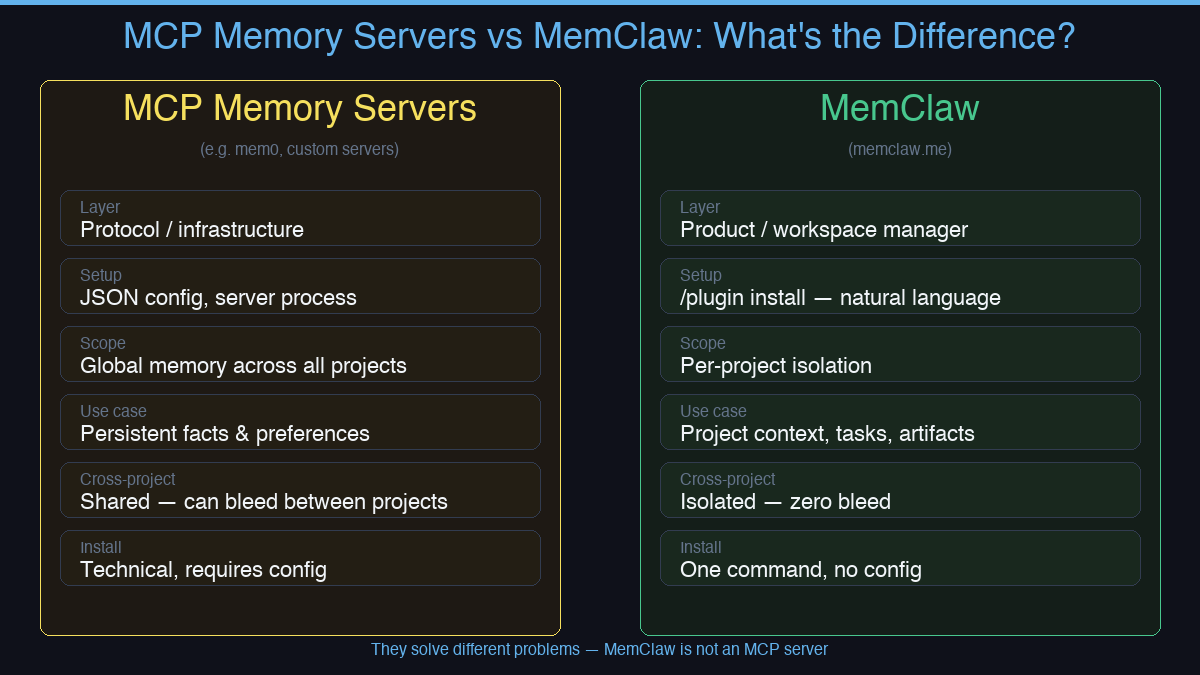
If you've been searching for how to give Claude Code persistent memory, you've probably come across various memory server options. MemClaw is a different kind of solution — a project workspace manager, not a global memory store.
MemClaw Is a Workspace Manager
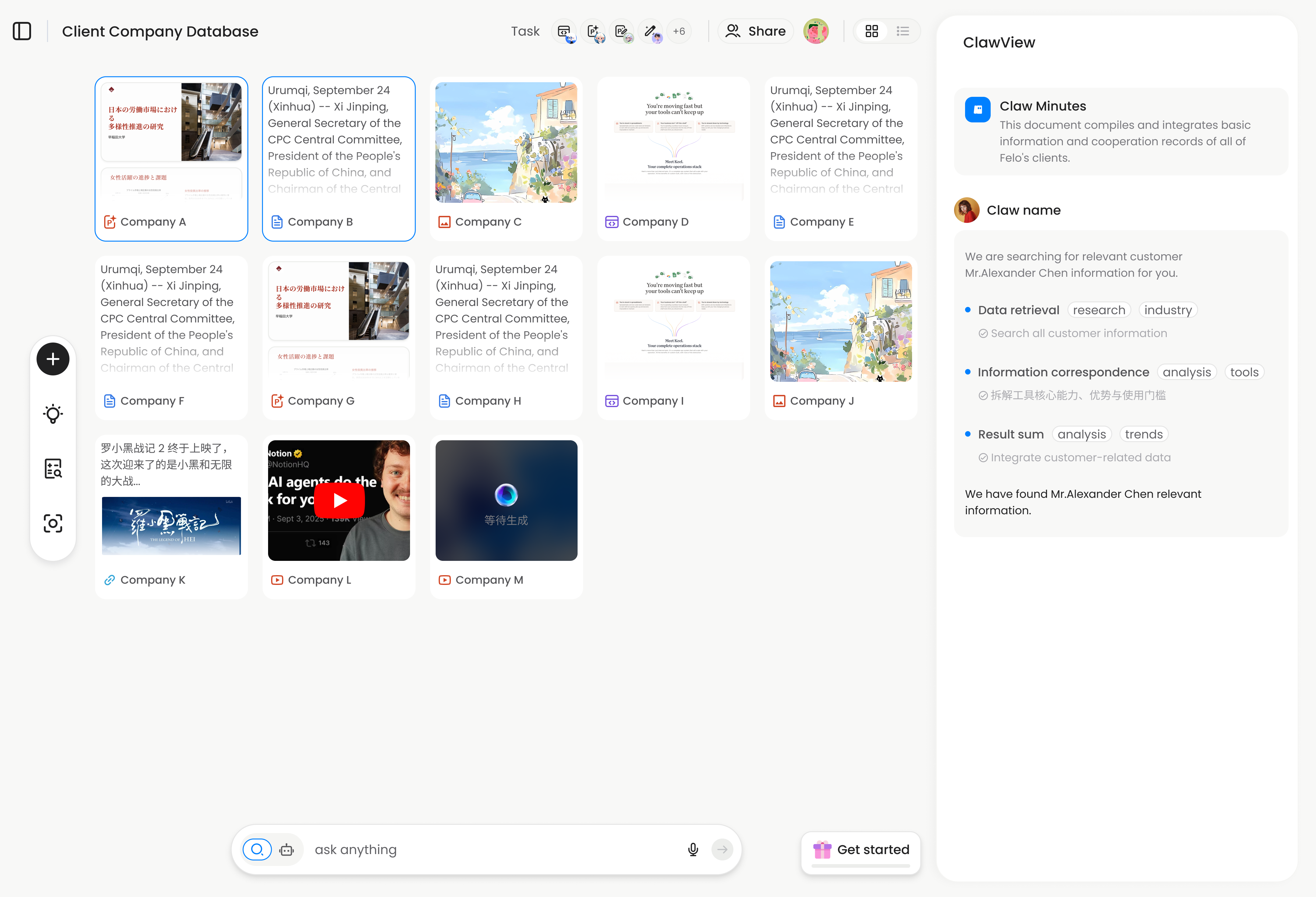
Global memory servers store facts across all your conversations. MemClaw gives each project its own isolated workspace — context, tasks, artifacts, and decisions that are scoped to that project only. When you open a project, the agent loads that workspace and knows exactly where things left off.
The key difference: global memory shares context across everything. MemClaw isolates context per project — zero cross-project bleed by design.
What MemClaw Stores Per Project
- Living README — project background, preferences, constraints
- Artifacts — documents, reports, URLs, files
- Tasks — auto-tracked as the agent works
- Decisions — why you chose X, logged permanently
Context restore: 8 seconds. No re-briefing, no copy-pasting.
Setup
How to Install MemClaw
Claude Code Plugin Marketplace (recommended):
/plugin marketplace add Felo-Inc/memclaw
/plugin install memclaw@memclaw
export FELO_API_KEY="your-api-key-here"
Get your API key at felo.ai/settings/api-keys. OpenClaw:
bash <(curl -s https://raw.githubusercontent.com/Felo-Inc/memclaw/main/scripts/openclaw-install.sh)
Using Your Workspace
Once installed, open any project and load its workspace:
load workspace my-project
The agent restores full context in about 8 seconds. From there, it knows what's in progress, what's been decided, and what still needs doing.
To save something explicitly:
save decision: using Postgres not MySQL — JSON query requirements
save artifact: client-brief.pdf
mark task complete: auth module
Tasks get tracked automatically as the agent works.
Who This Is For
MemClaw works for anyone managing multiple projects with AI agents — not just developers:
- Freelancers with multiple clients — one workspace per client, zero bleed
- Product managers tracking multiple features in parallel
- Sales professionals managing multiple accounts with different histories
- Developers who need persistent codebase context between sessions
No JSON config. No server process. One command to install.
Get started at memclaw.me — GitHub: github.com/Felo-Inc/memclaw