MemClaw: Project Workspace Memory for OpenClaw That Actually Persists

Running multiple projects in OpenClaw and tired of context getting mixed up? MemClaw gives each project its own workspace — switch between them instantly, and even share context between OpenClaw and Claude Code.
If you use OpenClaw across multiple projects, you've probably run into this:
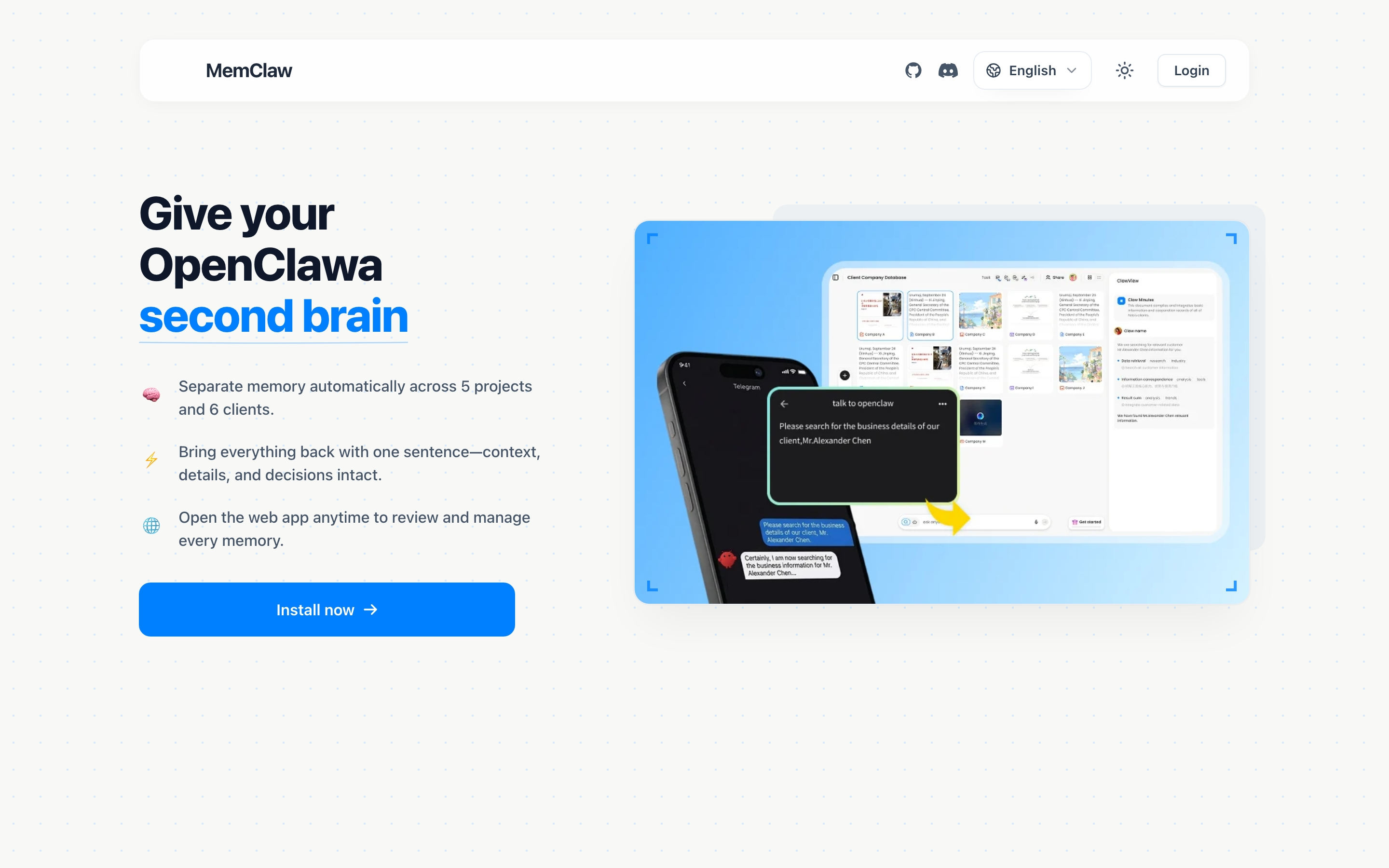
You spent last week deep in a strategy session for one client. Today you switch to another, and the agent is still responding with the first client's framing. Or a direction you agreed on two weeks ago has quietly disappeared — and now you're re-explaining it from scratch.
This is the cross-project context problem. MemClaw solves it.
One Project, One Workspace
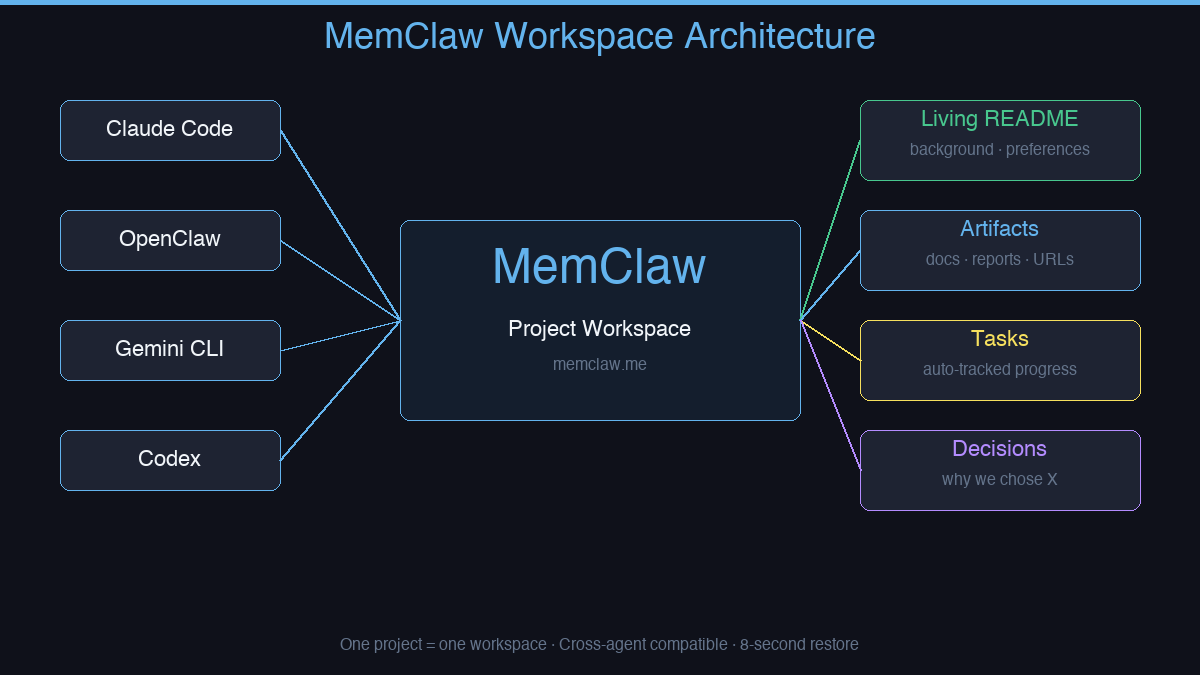
MemClaw gives each project its own isolated workspace. When you open a project, the agent loads that workspace and immediately knows:
- What's in progress
- What's been decided
- What still needs doing
- The background, preferences, and constraints specific to that project
Nothing from Project A leaks into Project B. Each workspace is completely isolated.
What Lives in a Workspace
Living README — A persistent document that captures project background, your preferences, and current progress. The agent updates it automatically as work happens.
Artifacts — Documents, reports, URLs, and files attached to the project. Reference them by name in any session.
Tasks — Auto-tracked as the agent works. You can see what's done, what's in progress, and what's next without asking.
Decisions — Why you chose X over Y, logged so the agent never contradicts a past decision.
Cross-Agent Compatible
MemClaw works with both OpenClaw and Claude Code. If you switch between agents on the same project, they share the same workspace. No duplication, no divergence.
It also works with Gemini CLI and Codex — any agent that supports the MemClaw skill protocol.
Who Uses MemClaw
- Freelancers juggling multiple clients — one workspace per client, zero bleed
- Product managers tracking multiple features in parallel
- Sales professionals managing multiple deals with different histories
- Developers who need their agent to remember codebase context between sessions
You don't need to be technical to use it. Natural language interaction, no JSON config, no server setup.
How to Install MemClaw
Claude Code Plugin Marketplace (recommended):
/plugin marketplace add Felo-Inc/memclaw
/plugin install memclaw@memclaw
export FELO_API_KEY="your-api-key-here"
Get your API key at felo.ai/settings/api-keys. OpenClaw:
bash <(curl -s https://raw.githubusercontent.com/Felo-Inc/memclaw/main/scripts/openclaw-install.sh)
Context restore takes 8 seconds. That's the difference between starting from zero and picking up exactly where you left off.
memclaw.me — persistent project workspaces for AI agents.